Last Updated: February 2026
1. Overview
FortiFile™ is a software platform that enables files stored locally on your Windows® and Mac® laptop or desktop to be retrieved, and shared, by Windows and Mac based systems, as well as iPhone and Android devices.
Think of FortiFile as a personalized, private storage system that lets you control your files, control where they are stored, and control who sees them.
You can allow others to access your files using fully encrypted communications based on permissions you control.
If you want to collaborate, FortiFile provides built-in, peer-to-peer communication tools that are fully encrypted end-to-end for text, chat, video, notifications, and more.
Download the app and take control of your files today.
2. Create new collection
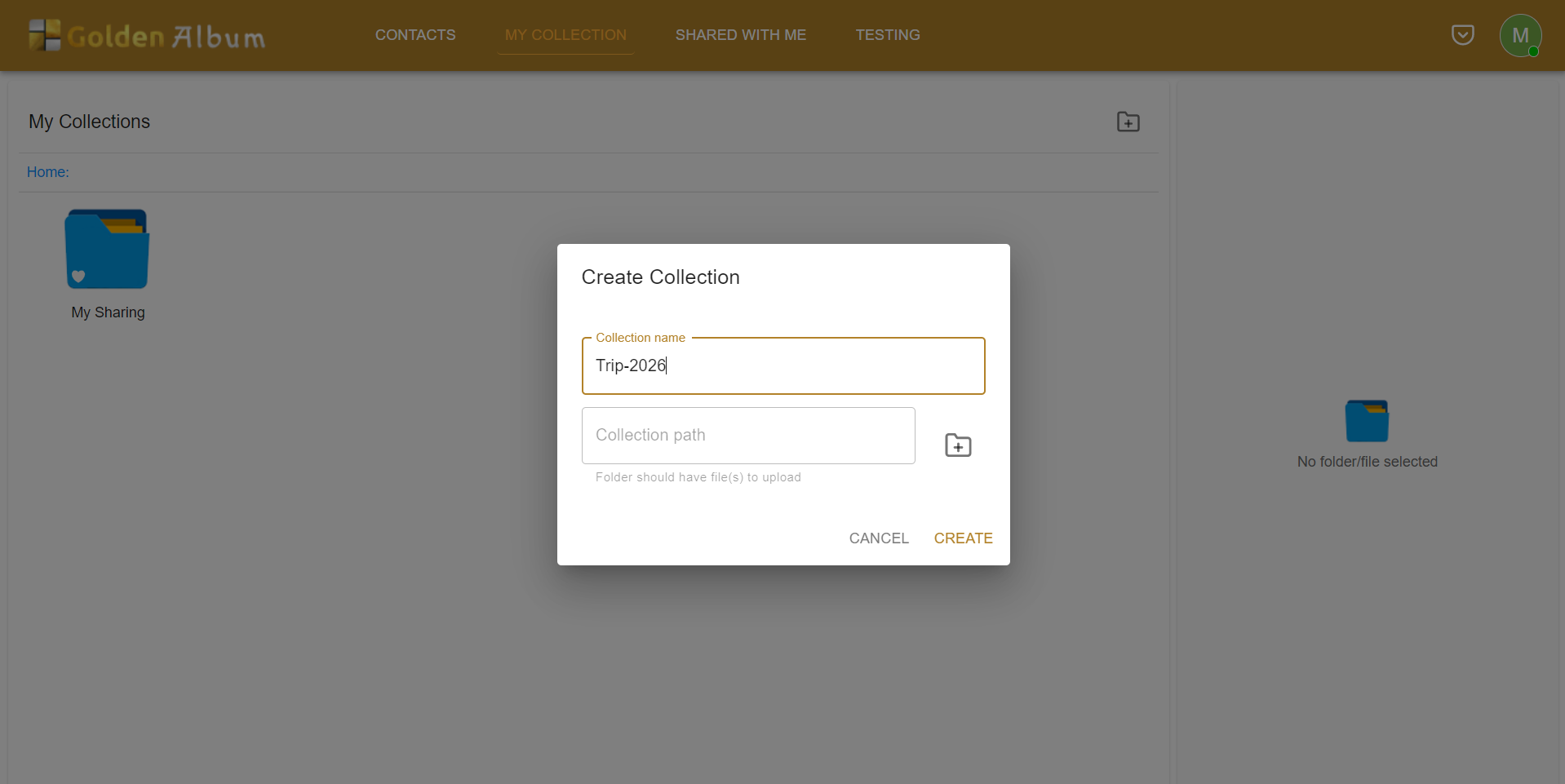
Create a collection on your system to organize and manage your data efficiently. Add files and folders to the collection to keep everything structured and easy to access.
3. Select a folder on your system to add to the collection.
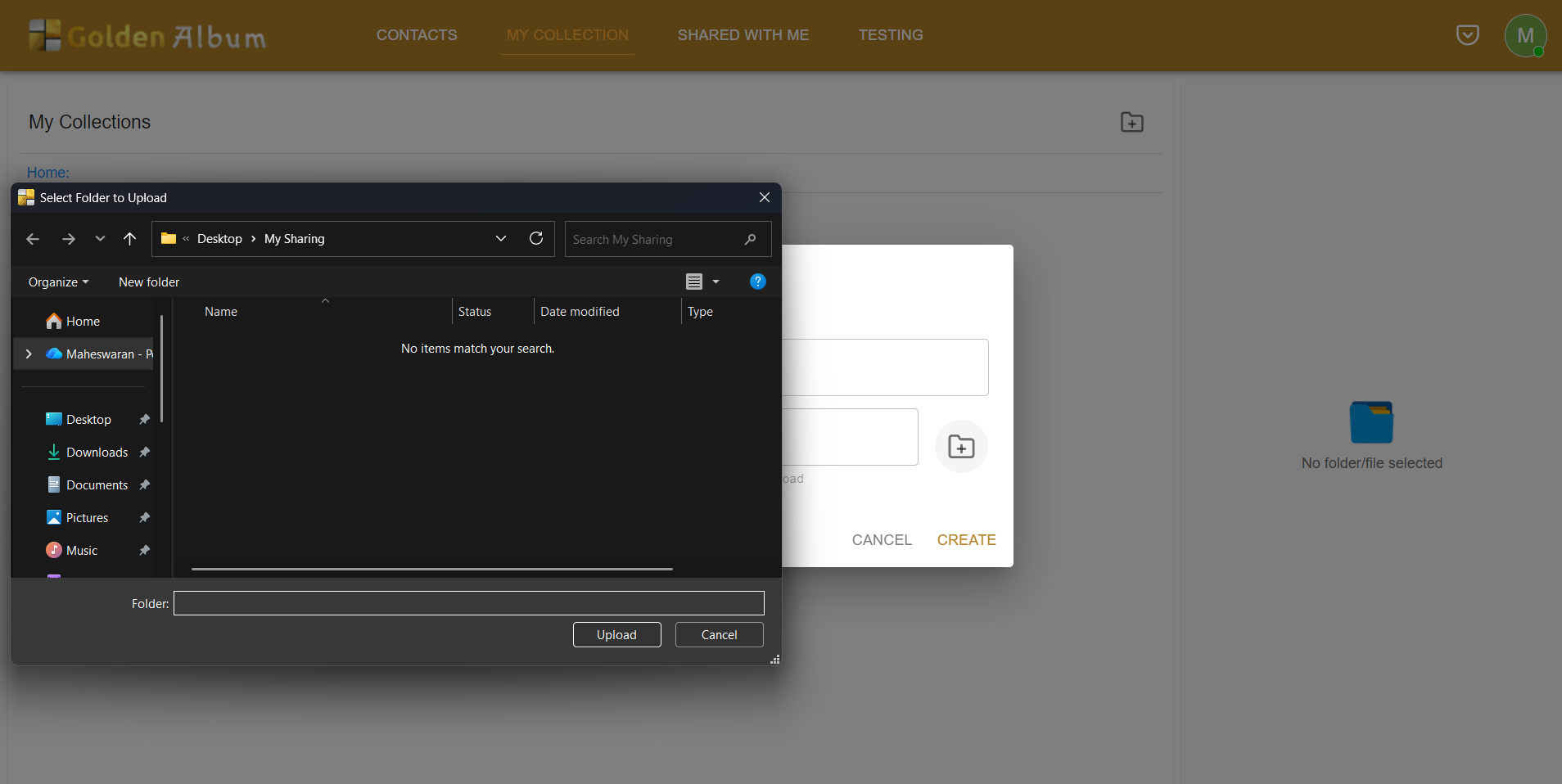
Select a folder on your system that you want to include in the collection. Add it to the collection to keep your files organized and easily accessible.
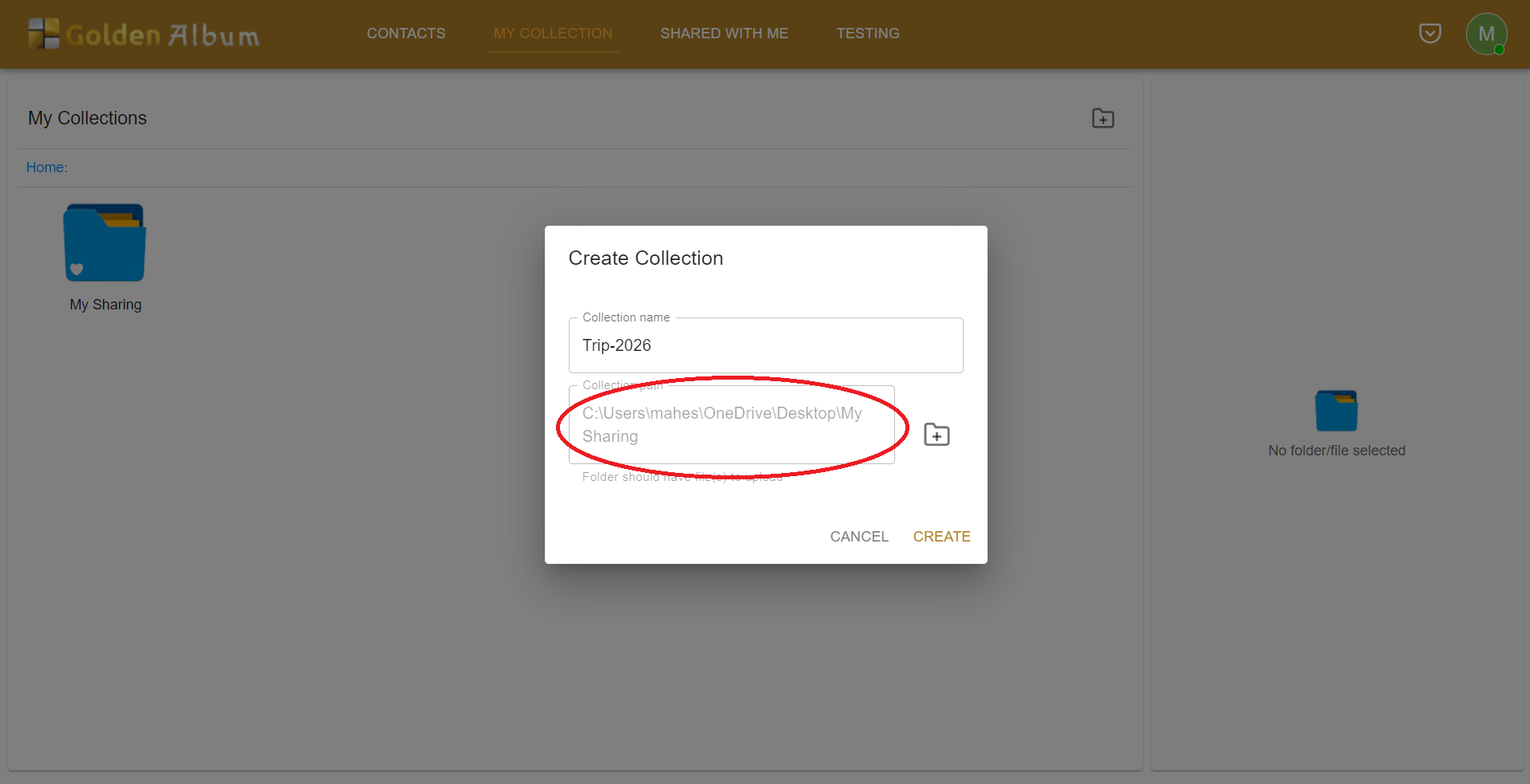
The path to the folder is now displayed. You can use this path to locate or access the directory.
4. Add individuals
You can share your collections with a specific user. They will be able to access the shared items.
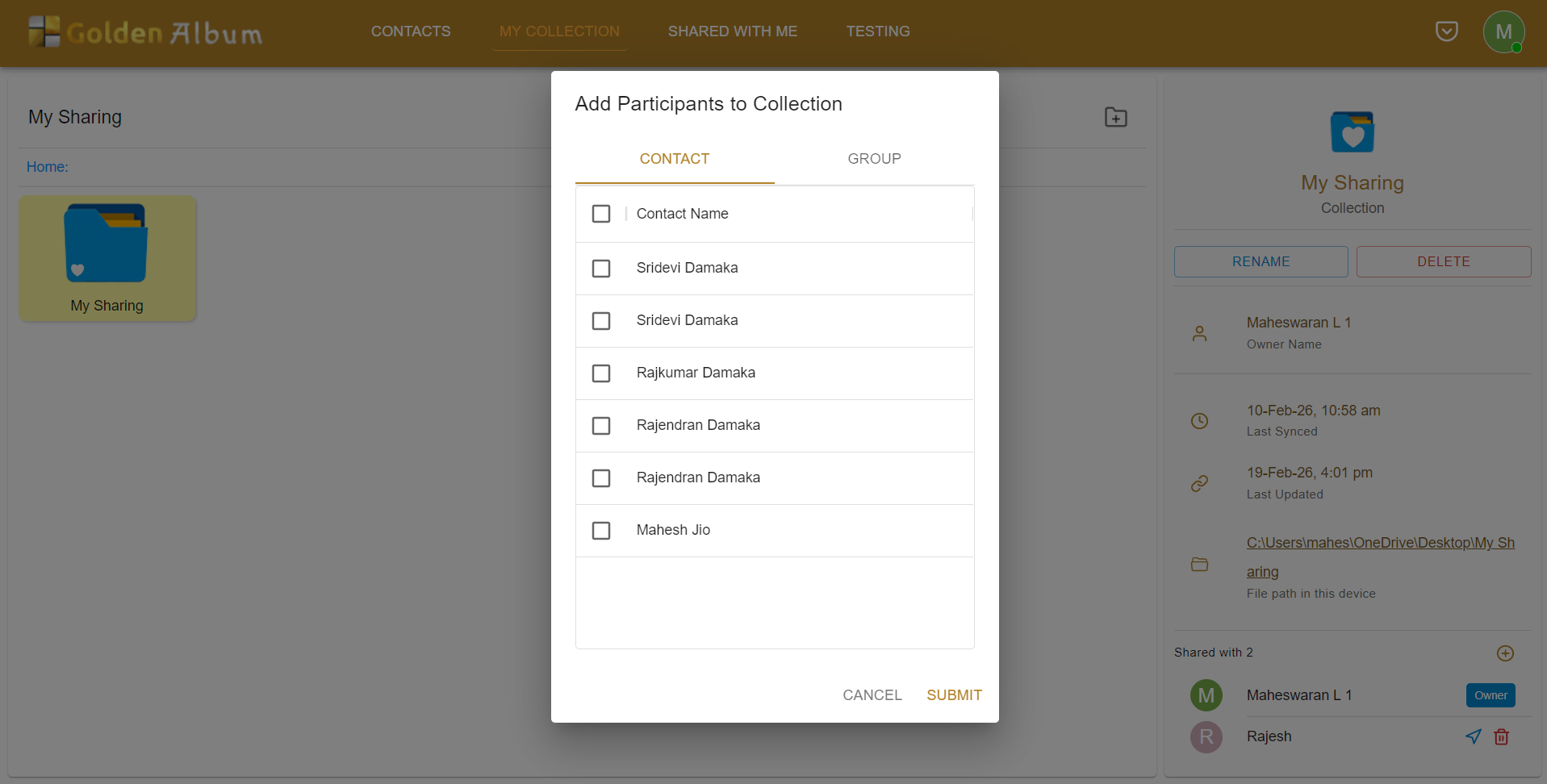
5. Share with groups
You can share your collections with specific groups. All members of the selected group will receive access.

6. And done
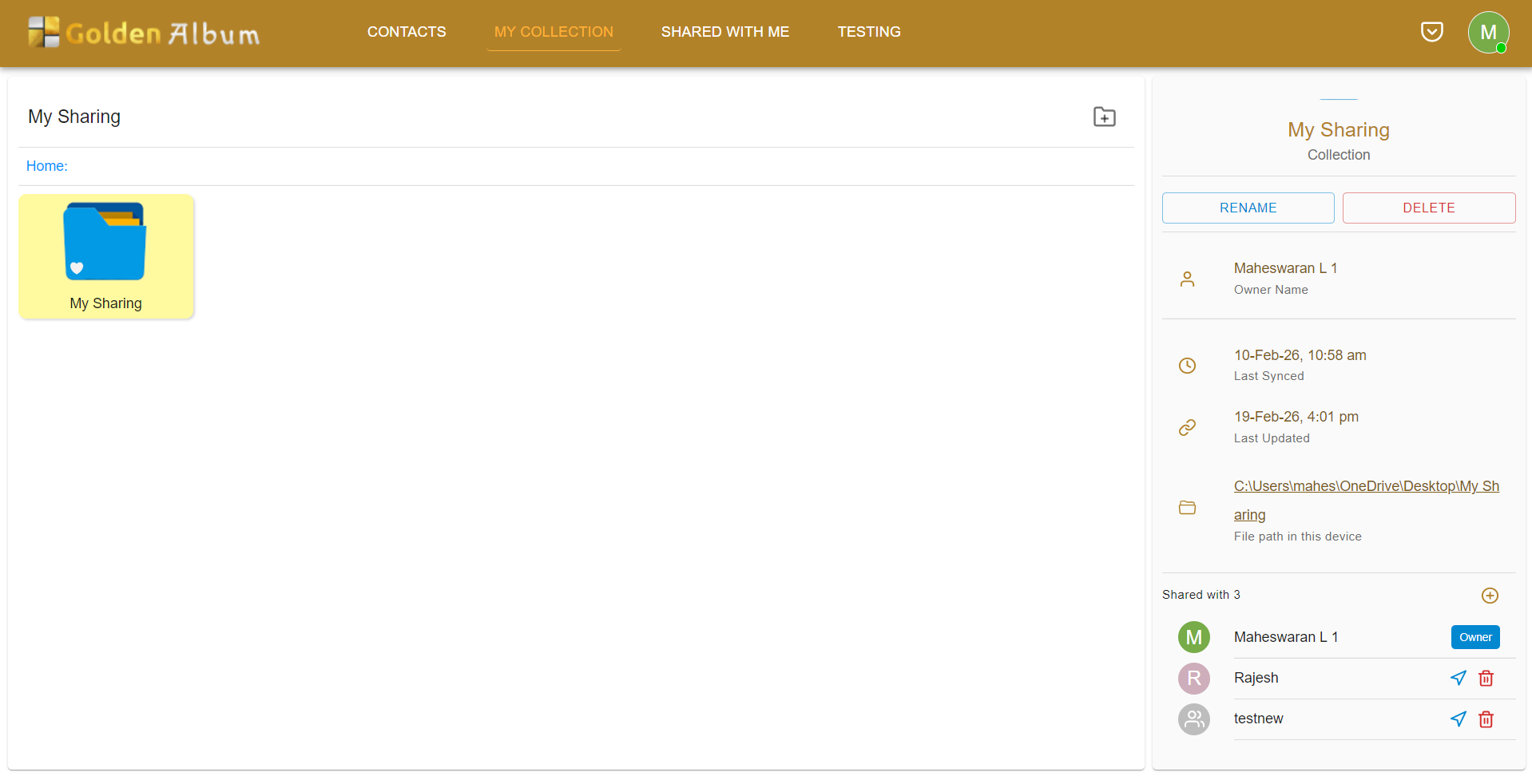
Selecting the collection now shows relevant details, including those with whom it is shared.
Notifications will be sent out to the individuals/groups with whom the collection has been shared.